Japan Stigmatized Property 3 Mobile Guide (iOS & Android)
Touch-desk habits for the same midnight loop on phones and tablets.
Mobile is a first-class client
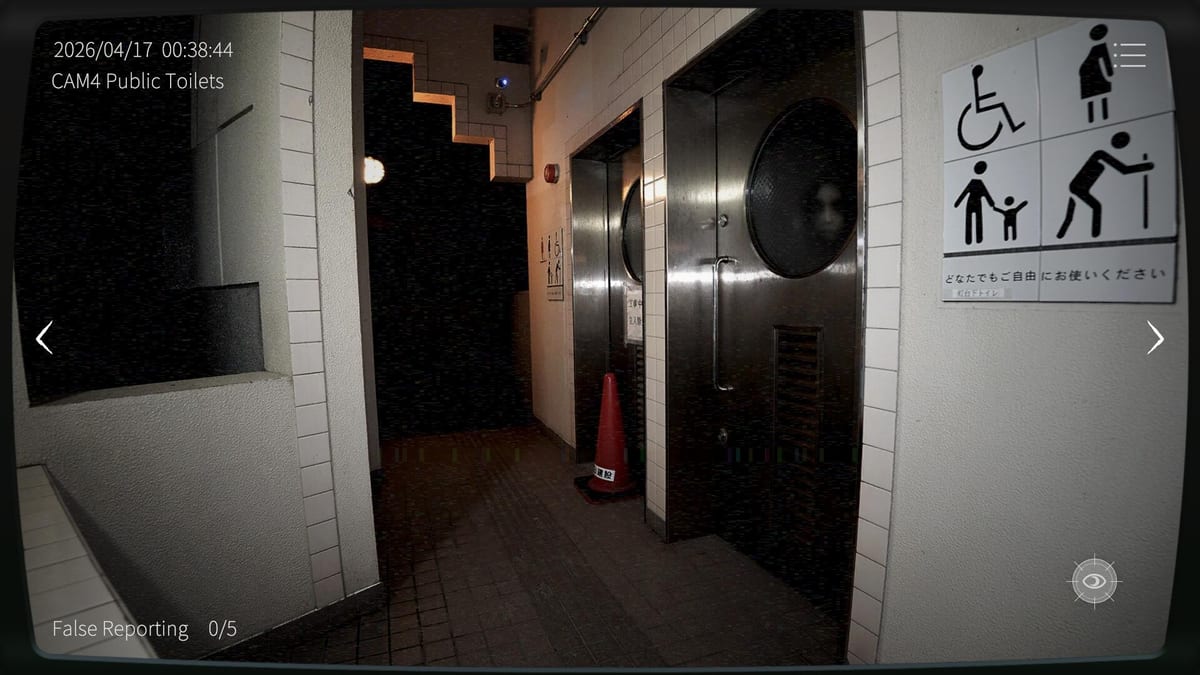
Japan Stigmatized Property 3 launched on iOS and Android beside Steam in August 2026. The association did not ship a toy demake: you still watch four properties from 00:00 to 05:00, still respect dual vision, and still fail on four concurrent misses or false-report budgets (five Normal / three Hazard Pay).
Store identities at launch:
- iOS: App Store id 6768917844 — 日本事故物件監視協会3 -JSP3-
- Android: Google Play package
jp.co.loxarc.jsp3.prod - Japanese press quoted ¥880 tax-in beside the Steam SKU
Platform matrix and PC notes: Platforms. Launch context: Launch Day.
What changes on a phone
- Input chrome — touch replaces A/D/W/mouse hold-click labels, but the verbs stay: switch camera, toggle night vision, hold to report, open menu
- Screen real estate — banners, notches, and gesture bars can hide report targets
- Thermals of the literal kind — phones throttle when hot; throttling feels like input lag during Hazard Pay
- Achievements — the 32 Steam badges live on Steam; mobile clears still train you and still count for co-op skill, but the overlay board is a PC meta layer
Touch reporting discipline
Reporting remains a deliberate hold, not a nervous tap spam. Fat-finger false reports burn budgets faster on glass than on a mouse. Practical rules:
- Stabilize orientation (landscape is common for camera desks—pick one and stop flipping mid-shift)
- Disable notification banners for the session
- Clean the screen; ghost touches create Fail B
- Confirm both vision modes before hold-reporting (How to Report, Vision-Mode Anomalies)
If your device supports sharper haptics or assistive touch, fine—do not invent macros that auto-report.
Cross-play with Steam friends
Online co-op is two officers with PC↔mobile cross-play. A Steam host can pair with an iPhone or Android joiner through room ID and password—not random matchmaking.
Mobile-side checklist:
- Update to the launch build before you join
- Prefer Wi-Fi over cellular jitter
- Join voice outside the game so password typos are audible
- Agree who watches which wing before 00:00
- Let the Steam player own achievement hunting if that is the night’s goal
Deep links: How to Co-op, Cross-play, Thermal Camera (thermal is co-op-gated on all platforms).
Performance and battery
- Charge before the shift; low-power modes can hitch camera swaps
- Remove thick cases that trap heat during summer Hazard Pay grinds
- Close background video apps competing for decoder resources
- If the frame hitch coincides with missed stacks, treat it as a Fail A risk—pause and cool down rather than “pushing through”
PC hardware tables do not map 1:1; see System Requirements for Steam and keep mobile expectations qualitative.
Suggested mobile learning path
- One Normal solo clear on a visually simpler property (often Blue House)
- Same property with strict dual-vision holds
- Cross-play co-op on Normal with a patient Steam partner
- Hazard Pay only after false reports feel rare on glass
Beginner mindset: Beginner Tips. Fail meters: Mission Failure Rules.
Streaming from mobile
Official policy allows broadcasts and monetization without permission forms (Streaming). Vertical phone captures work, but jump scares plus touch UI demand larger hit targets and quieter overlays. Many creators still capture Steam and keep the phone as the co-op partner camera.
What mobile will not fix
A phone cannot rewrite randomization, cannot skip dual vision, and cannot raise your false-report budget. If you fail, run the same postmortem you would on PC: four-stack or false budget? Which camera went cold? Did you report without flipping vision modes?
Mobile is how a huge chunk of the audience clocks in. Treat it with the same professionalism as the Steam desk—just bring a charger and a stable network.
Frequently Asked Questions
Quick answers for Japan Stigmatized Property 3 shifts.
Is Japan Stigmatized Property 3 on iOS and Android?
Yes. It launched beside Steam in August 2026—App Store id 6768917844 and Google Play package jp.co.loxarc.jsp3.prod.
Can mobile players co-op with Steam players?
Yes. Online co-op supports PC↔mobile cross-play for two officers via room ID and password.
Do Steam achievements unlock on mobile?
The 32-achievement board is a Steam feature. Mobile play still teaches the same shifts but does not replace the Steam overlay tracker.
Should I play Hazard Pay on a phone first?
Not usually. Learn Normal touch reporting and dual vision first; Hazard Pay’s three-false-report limit punishes fat-finger mistakes.