Japan Stigmatized Property 3 How to Co-op in JSP3
Two officers, one passworded room, zero random matchmaking.
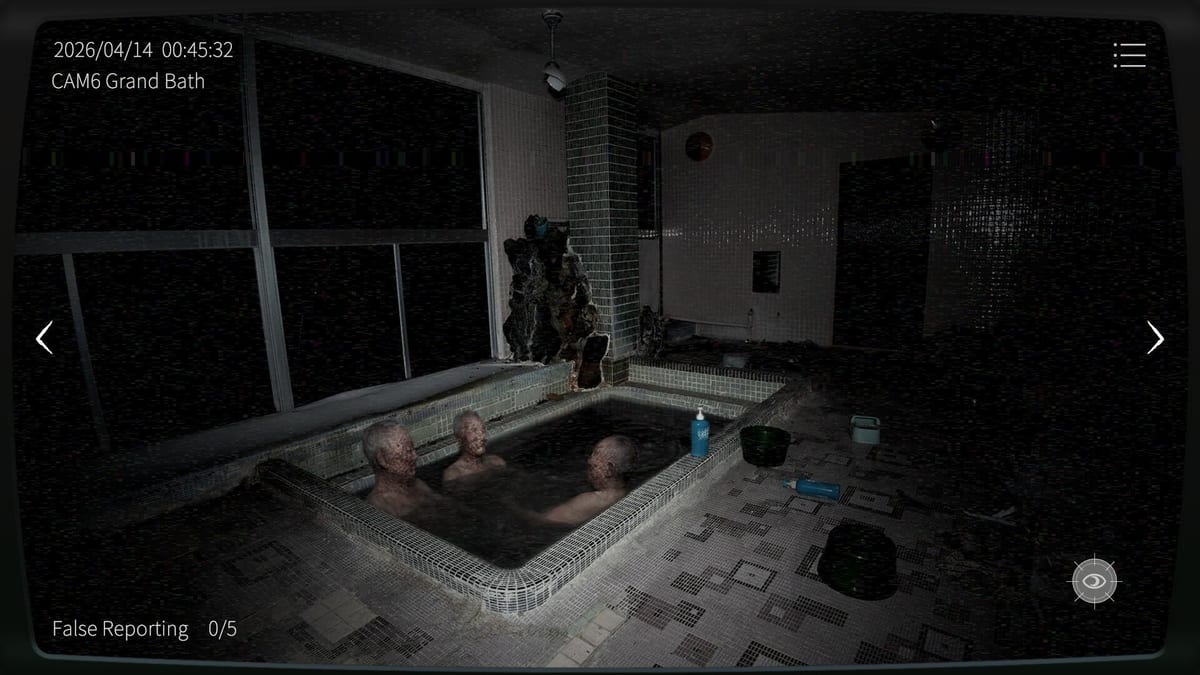
Co-op setup at a glance
Japan Stigmatized Property 3 co-op is built around a private room. One officer hosts, shares a room ID and password through an outside channel, and the partner joins. There is no Steam invite button workflow and no random matchmaker to fill an empty seat. That design keeps sessions intentional—and it is also the first UX pain point new pairs hit.
Before you touch the lobby, agree on property, difficulty, and voice chat. The anomaly loop still runs 00:00 to 05:00. Lobby confusion that eats the first minutes of baseline memory is a self-inflicted fail.
Step-by-step room flow
- Both players launch the same build on supported platforms (PC, iOS, or Android).
- Host opens co-op room creation and sets a password you can type quickly on mobile keyboards.
- Host sends room ID and password via Discord, messenger, or voice.
- Guest joins with those credentials—no browsing public lobbies required.
- Confirm both clients see the same property and difficulty before starting.
- Assign camera ownership out loud, then begin the midnight baseline pass.
If join fails, re-share the code slowly. Mobile autocorrect and Steam overlay copy/paste errors are common. Recreate the room if credentials desync instead of arguing over stale IDs.
Patch note officers must know
Steam Ver. 1.0.6 fixed broken submission when a co-op anomaly required simultaneous reporting. Ver. 1.0.7 further fixed some anomalies that failed to spawn or report, and corrected report-gauge display during cooperative operations. Update both clients before a passworded night, then trust paired reporting and the gauge UI again. Collectors: re-farm scares that refused to appear pre-1.0.7 (Anomaly Collection, Patch Notes).
Camera ownership rules that prevent fails
The default bad habit is both players watching the scariest feed. Pick a split instead:
- Odd cameras versus even cameras.
- East wing versus west wing.
- Interiors versus approaches on park maps.
- Lobby and stairs versus deep rooms on residence maps.
Ownership means you are responsible for rotation and first report on those feeds. Your partner can peek to confirm, but they should not abandon their block. Revisit the Co-op Hub mindset notes if your pair keeps collapsing onto one camera.
Reporting etiquette
Hold-click only on confirmed deltas. In co-op, add a callout: camera name plus what changed. If both of you see the same anomaly, one reports and the other resumes coverage. Double-handling one ghost while a second anomaly ages is a classic pair failure.
False reports still matter. A partner’s confidence does not make a bad click free—especially on Hazard Pay (特別手当). When unsure, toggle night vision (W on PC) and ask for a second look before reporting.
Using the mid-shift tools correctly
Co-op unlocks the thermal camera. It is powerful and easy to overuse. Read Thermal Camera after this page and agree when heat checks are mandatory versus optional. Keep standard night vision in the loop; thermal is a pair bonus, not a replacement for A/D discipline.
If one player is on phone and one is on PC, skim Cross-play for input and pacing differences before Hazard Pay nights.
Property-specific co-op tips
On Sugiya Ryokan, split dense wings so clutter baselines stay owned. On Blue House, assign lobby versus side rooms so lighting tricks cannot hide in neglected halls. On Kannonzaki Park, give someone permanent path duty. On Y Residence, ban vibe-reports and require named deltas in callouts.
Browse the Properties Hub when choosing tonight’s case so both officers share the same expectations.
Normal versus Hazard Pay with a partner
First sessions should be Normal even if both of you are veterans solo. You are training a communication protocol, not proving bravery. Move to Hazard Pay when false reports are rare, callouts are short, and neither player needs to spectate the other’s cameras to feel safe.
Co-op achievements track pair clears and pair encyclopedia-style completion separately from solo routes. Schedule them like appointments. Password lobbies punish “maybe we queue later” habits.
Common setup failures
- Starting the shift before both players finish the baseline pass.
- Sharing passwords in images that mobile users cannot copy.
- Changing difficulty after one client already loaded expectations.
- Playing without any voice or text channel, then double-reporting in silence.
- Treating co-op as solo-with-company instead of assigned coverage.
Fix the lobby first, then the horror. Japan Stigmatized Property 3 pair shifts reward officers who treat room codes as part of the kit checklist.
After each co-op night, spend one minute on a debrief: which camera block leaked, which callout was unclear, and whether thermal replaced a night vision check it should not have. That debrief improves the next passworded room more than another unreviewed attempt.
Frequently Asked Questions
Quick answers for Japan Stigmatized Property 3 shifts.
How do I invite a friend in JSP3?
Create a room, share the room ID and password outside the game, and have them join. There is no Steam invite or random match path.
Can more than two players join?
No. Co-op supports two officers. Plan camera splits for a duo, not a full party.
What should we do before 00:00?
Confirm property and difficulty, assign camera ownership, and open voice or text chat so callouts are ready for the baseline pass.
Does co-op change controls?
Core PC controls remain A/D, W for night vision, and hold-click to report. Co-op mainly adds coordination needs and thermal access.